What makes Microsoft Loop different from any other note-taking software in M365
Published · Updated
Intro
Microsoft Loop, according to Microsoft, is a co-creation experience that uses a flexible canvas and it is intended to think, plan and create together, however, what makes it different from any other note-taking software like, for example: Word or One-Note?
Outstanding features that I love
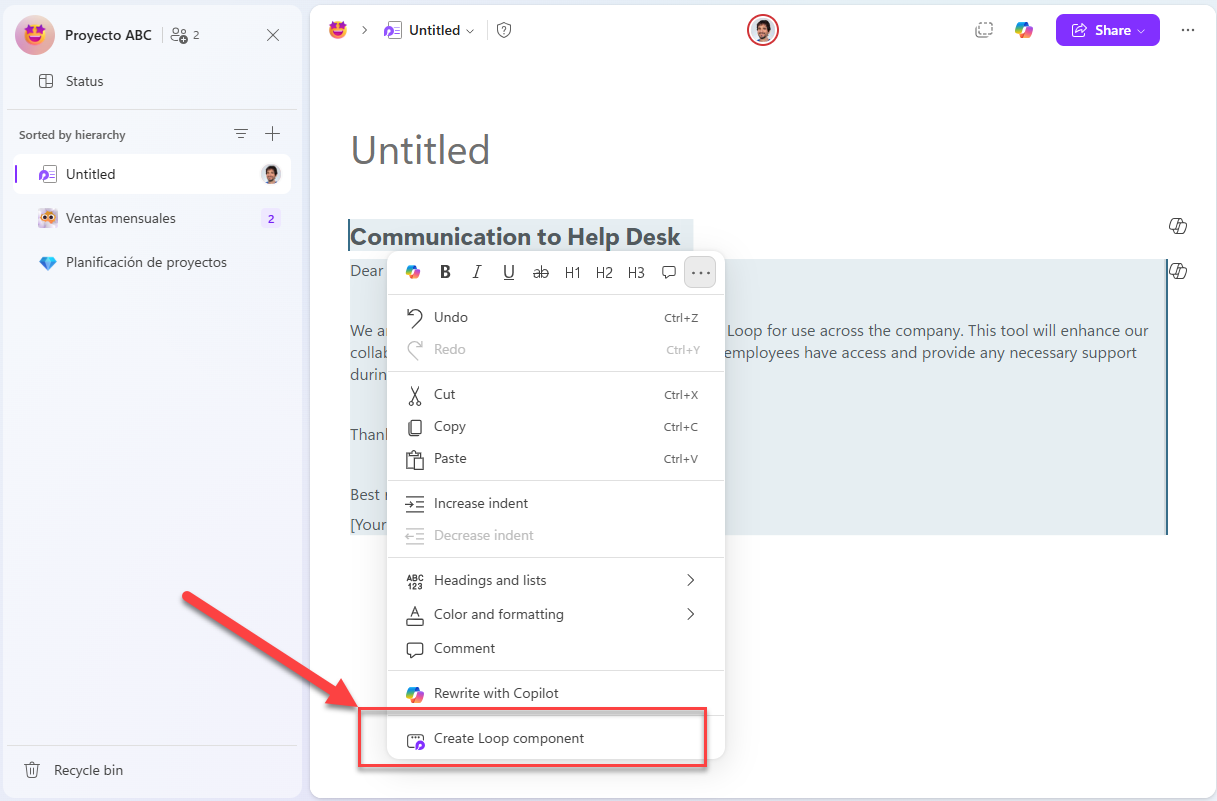
Create a Loop Component out of any portion
You or someone in your team created and work in a Loop Workspace, let’s say you need to share a specific portion of a page in that Loop Workspace, but not everything in your workspace, you just select it and create a Loop Component, you copy the component and share it with this person, voilá, very easy
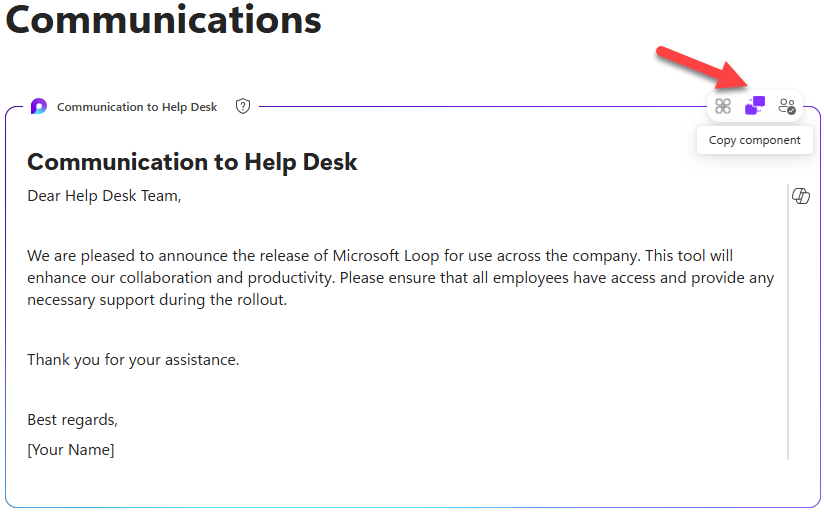

Loop components created from content in Loop pages are stored in SharePoint embedded as containers.
Custom notifications for updates in Loop Tables
Let’s say that you want to be notified when certain table value is more, less or between a range, or when a specific date is entered, or when a specific mention is added, you can do it, at least if you enabled Loop Preview features in Cloud Policies
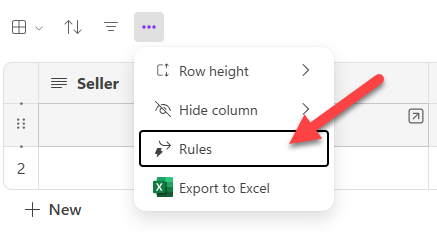
Tip: Remember to set the data types for each column.
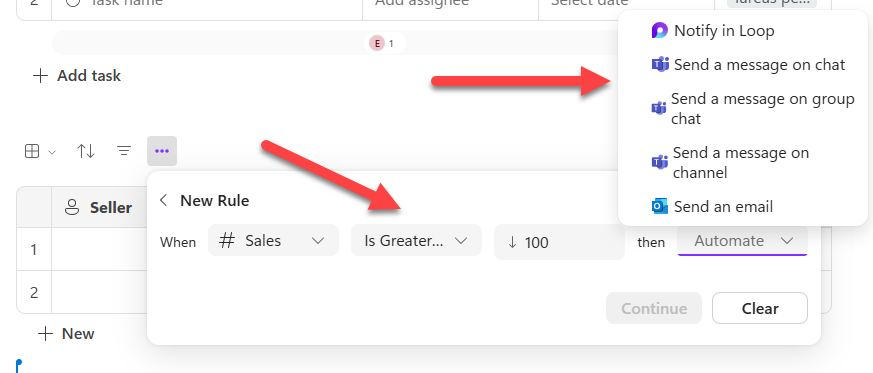
Notify in Loop action is the simplest one, the other actions result in a Power Automate flow easily created in a wizard, right from the Loop App, these other actions require a Power Automate license.
Detail view in Tables
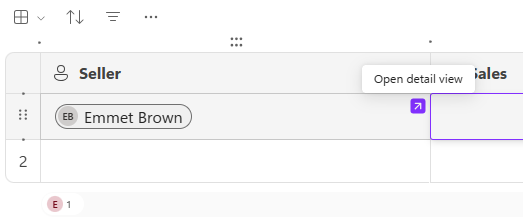
This is a cool feature that reminds me of SharePoint, you can access it by hovering the field and a little arrow will show up to open the detail view
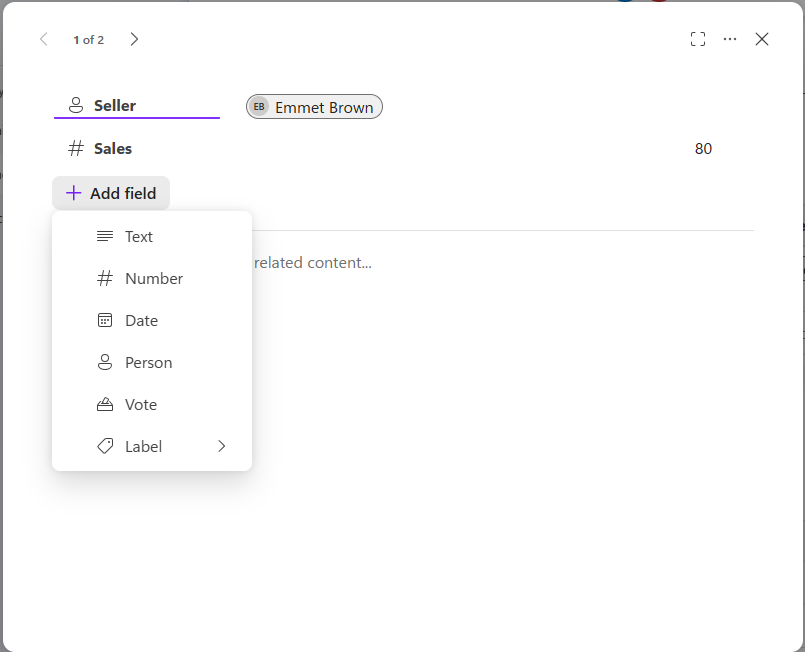
Once you got there, you can fill or edit the field values, and you can even add fields/columns right from this dialog:
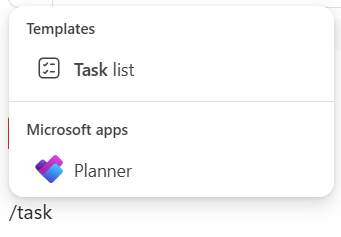
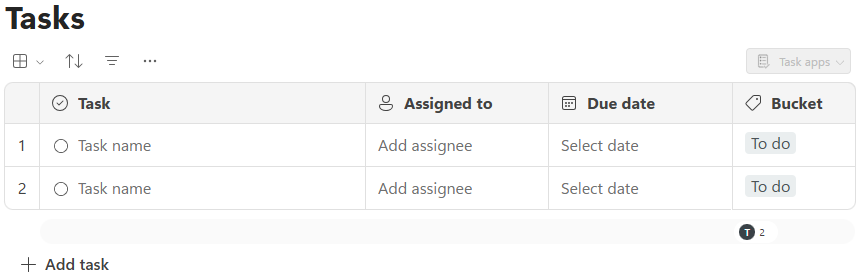
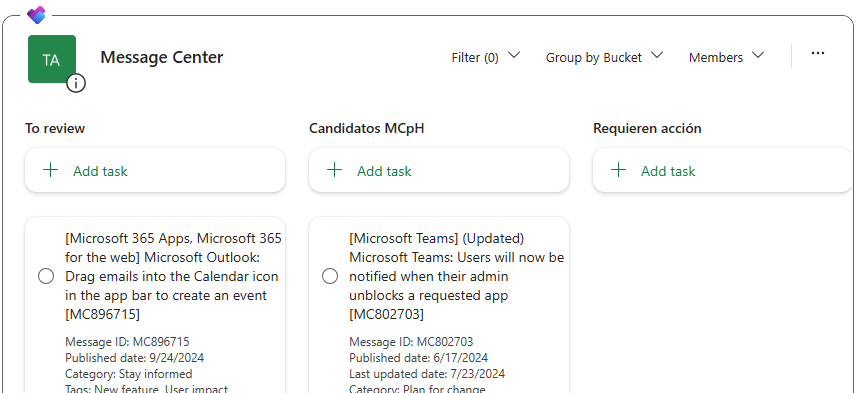
Task list component / Integration with Planner
Having the chance to assign tasks, set deadlines, either by using a new plan (task list component or directly adding the planner content type) right from a Loop page without having to switch context is a game-changer:
Guest sharing
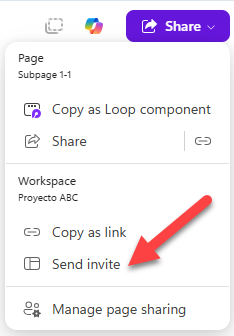
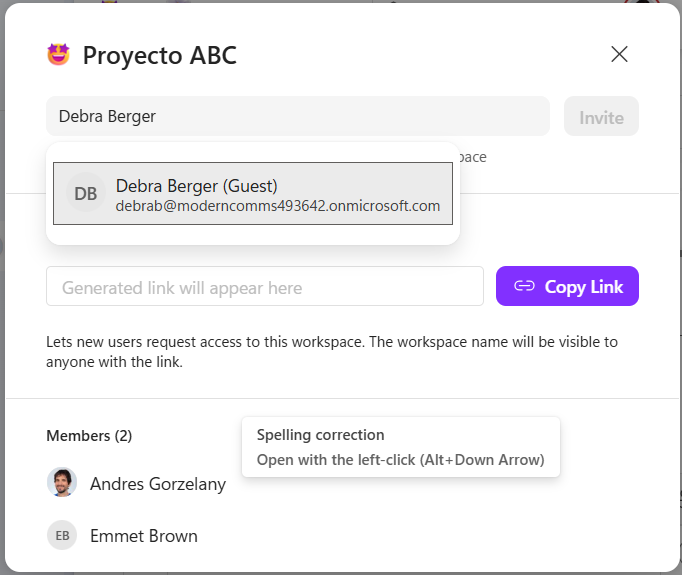
A long-awaited and requested feature, the chance to invite guests to collaborate in a Loop page or a Loop Workspace is another big milestone, the guest must be already a guest in your tenant, it is the only prerequisite.
Subpages
Subpages are a great way to organize our content in Loop Workspaces, especially those with many pages. One could argue that OneNote also has something similar, however Loop supports multiple levels.
Templates
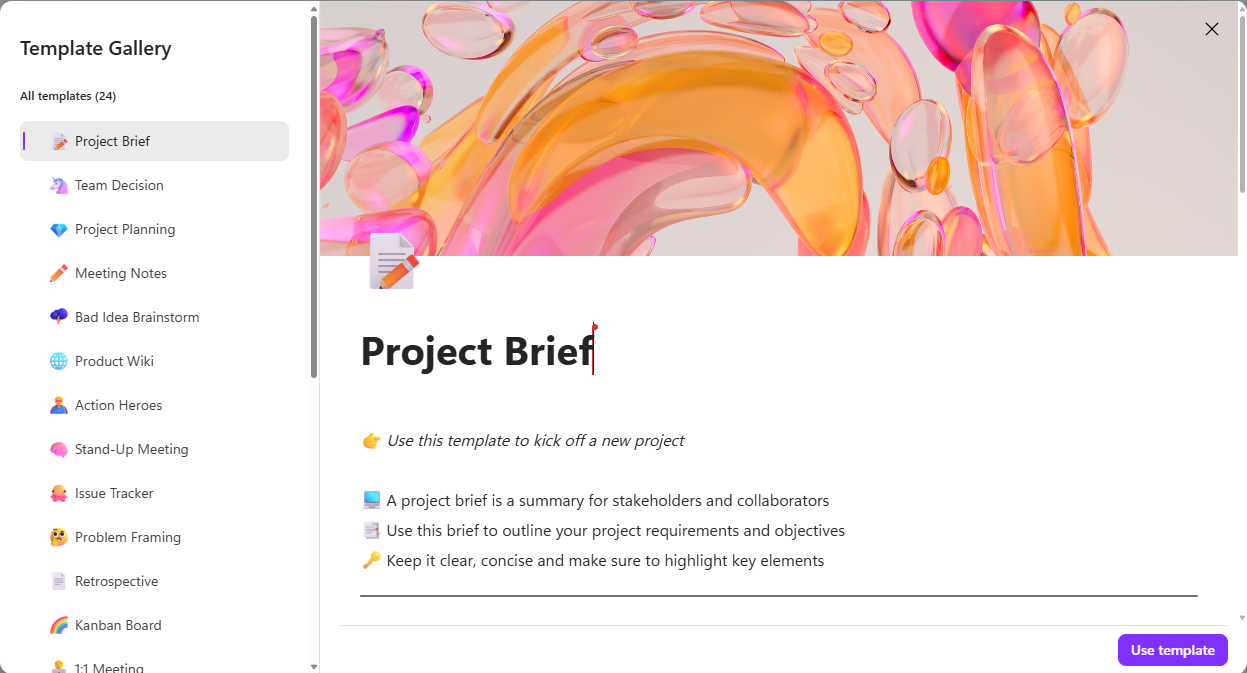
Loop templates help a lot to kick-start your Loop page content, with many options to choose from!
Conclusion
Microsoft Loop offers features that enhance collaborative work, setting it apart from traditional note-taking software like Word or OneNote. The ability to create Loop Components, set custom notifications, and access detailed views in Tables improves productivity and collaboration. Integration with Planner, guest sharing, and subpages further highlight Loop’s versatility.
Overall, Microsoft Loop is a comprehensive co-creation platform designed to support teamwork and project management. As Loop continues to evolve, it will be interesting to see how it further distinguishes itself from other note-taking software.
More information
Many of these features are discussed in this official blog article titled Microsoft Loop, a year in review: greater integration and richer collaboration